Search Results (Searched for: Per)

Today 09:45

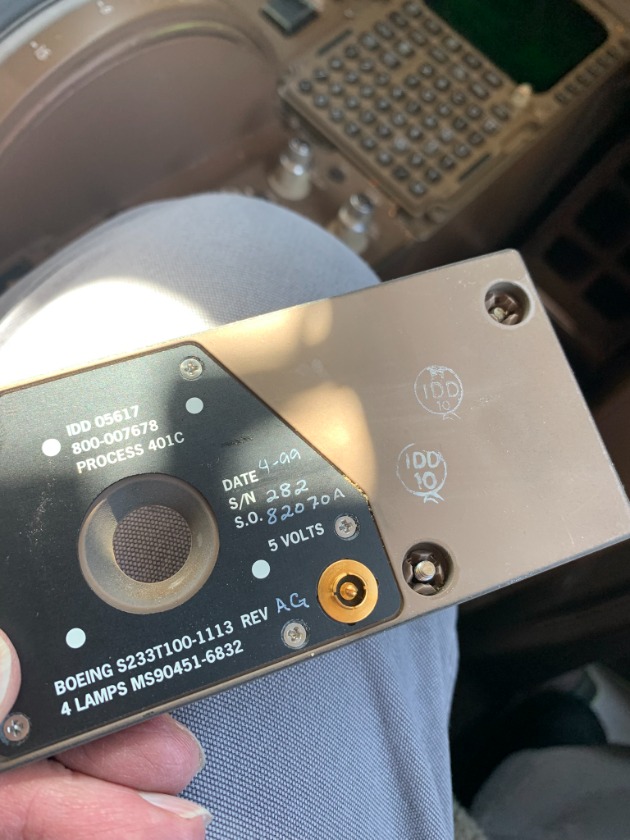
I have actually been noticing some similar issues lately with the korry bodies. If time permits and parts available I have started to change the entire assembly instead of just LCM or Switch heads especially on critical switches. Really does not take much more time just 30 minutes or so to replace and worth it for peace of mind.
Yesterday 09:51
Replied by Mark on topic Panel Background Lights
It's unusual to have two background light issues within a seven day period, but.....

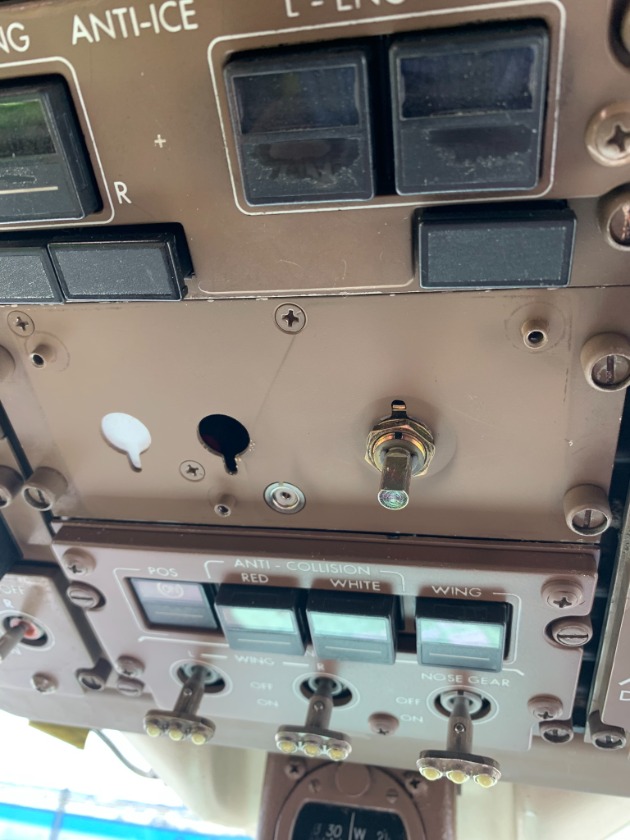
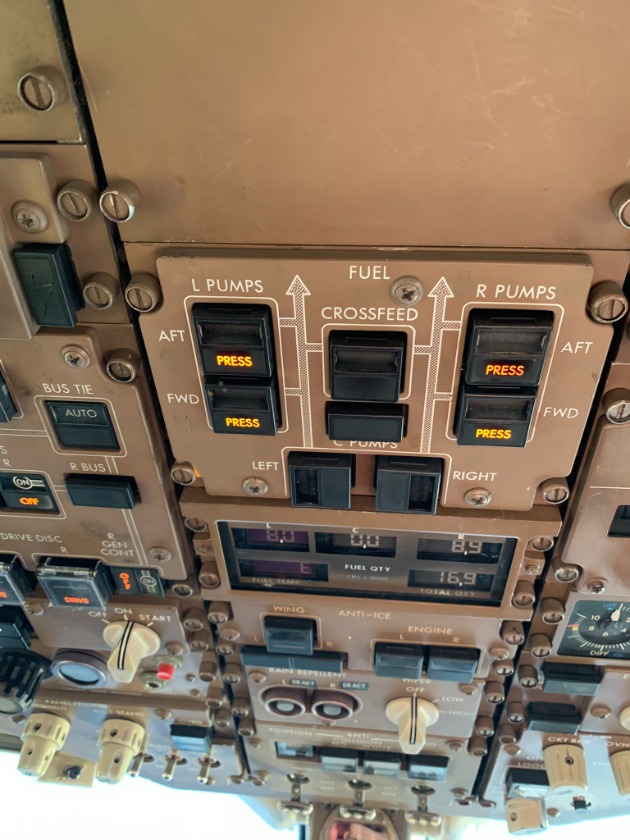
767-200 with the left lighting control panel, fuel pump panel, equipment cooling control panel with their background lights inoperative.

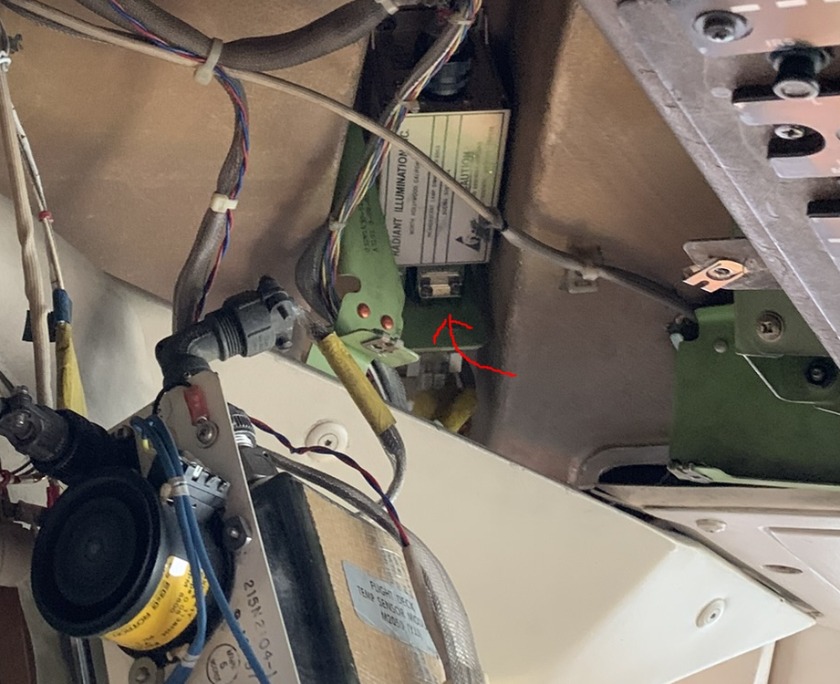
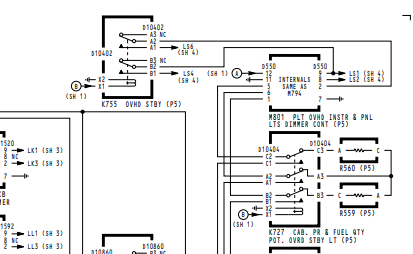
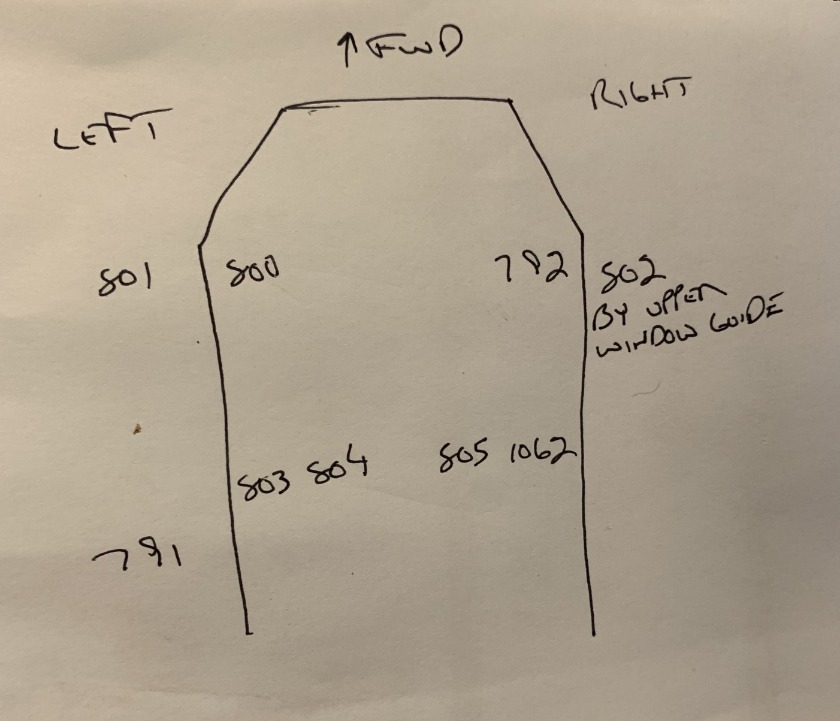
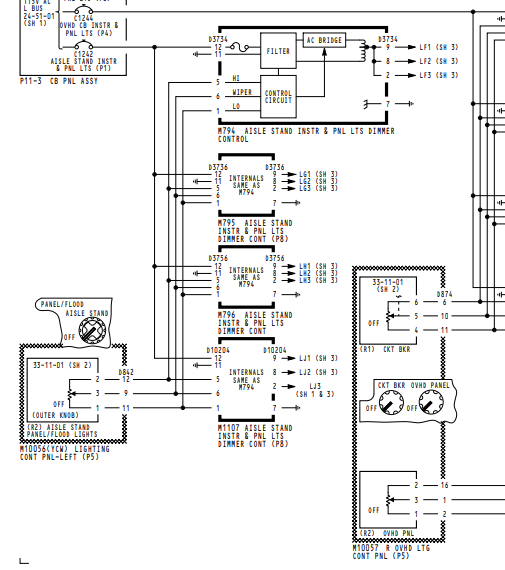
From the schematics, the lighting module involved was M801 located outboard of the lower left circuit breaker panel.


A new module was no help. Thinking I had another light plate loading the system down, I de-pinned the output pins 2, 8, 9 and checked output voltage which was 5 VAC at full bright. With all the pins back in..... same results????


I continuity checked the fuel pump panel connector back to the module. It was open.

This only left relay K755 to be at fault. This relay is "always" energized with power on. I can only think of load shedding for its purpose, which to me is stupid. How much battery power is being used by some background lights?

The relay is mounted to a bracket at the module.


The relay replacement fixed the issue.


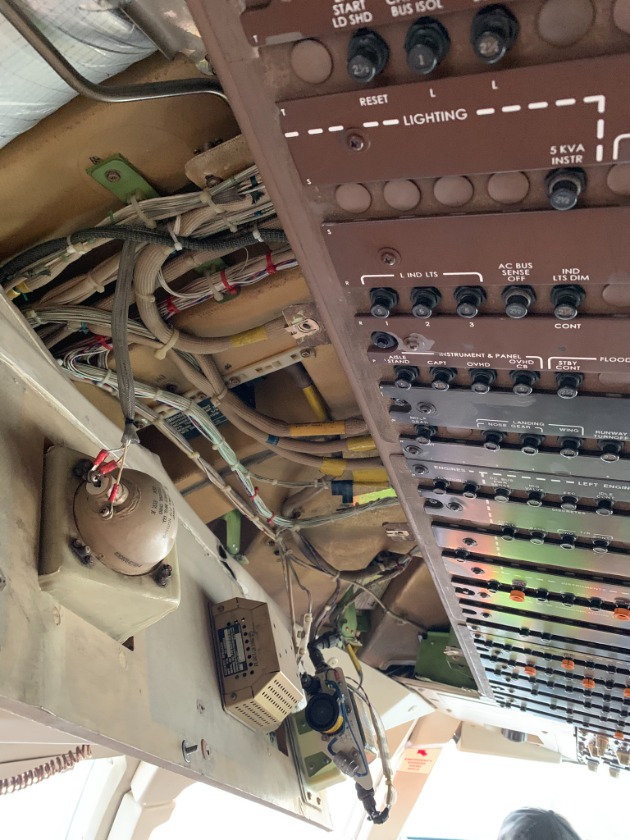
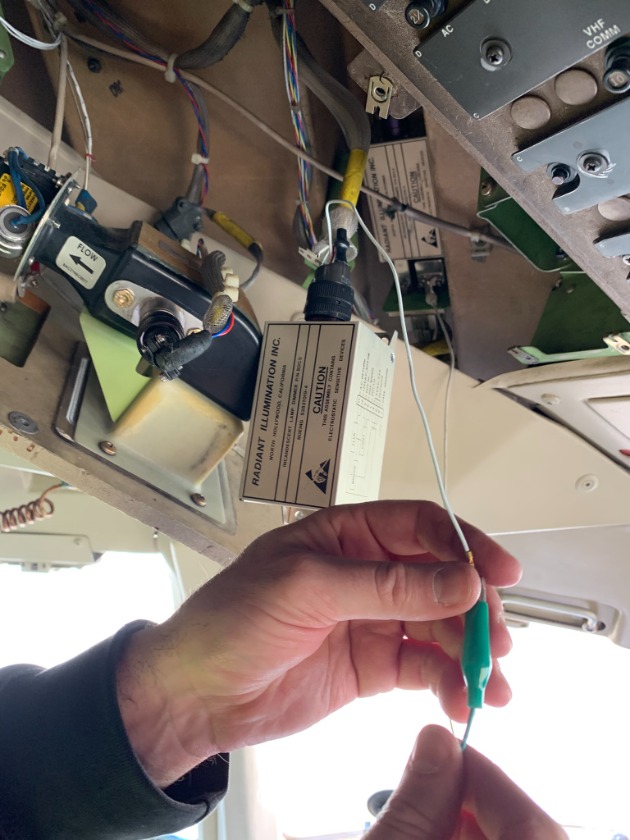
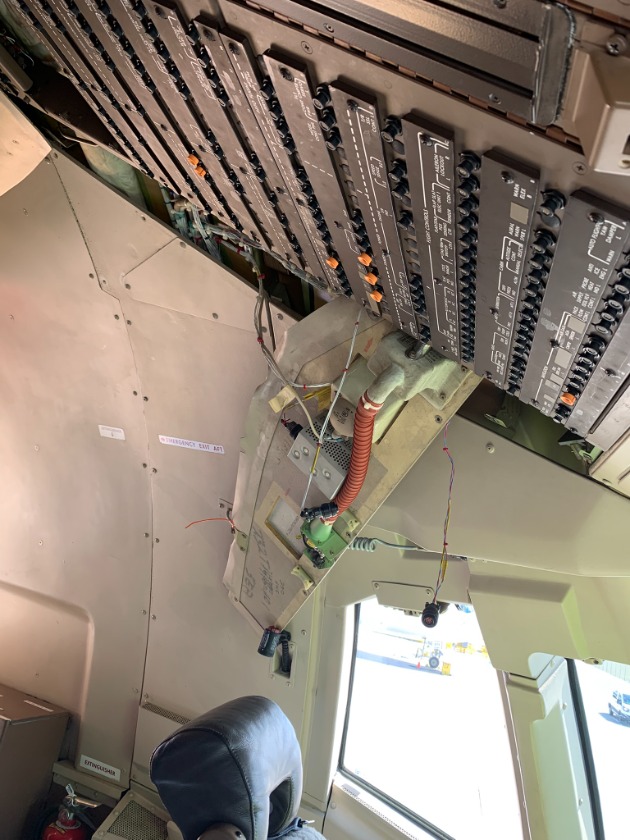
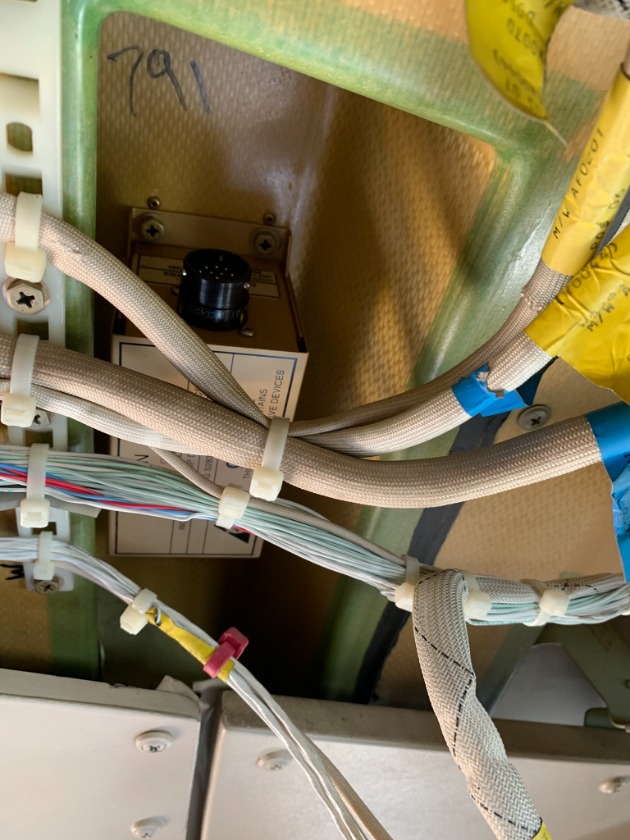
Here are some of the locations for some of the modules.


Yesterday 04:07
Good morning Mark,

I sincerely appreciate you giving me this great opportunity.

The issue began after another mechanic replaced the Kory switch, but the problem persisted. In addition, when operating the APU with the APU BLEED switch turned on, an autoshutdown occurred.

On the B747-400, there is a switch on the electrical bus page that allows you to open and close the bus. As you may know, it is similar to the GEN switches on the overhead panel (P5). I will provide more accurate references later if needed. There is also a separate switch in the P6 section that allows control of the bus. After operating this switch, we were able to determine that the issue was not related to the APU generator itself. This led us to confidently conclude that the problem was with the Kory switch on the P5 panel.

Many mechanics, when replacing a Kory switch, only replace the “guts” rather than the entire assembly. In this case, only the internal components were replaced, not the full assembly. During the replacement process, I found that the spring on pin 18 at the back of the Kory switch was not functioning properly. After replacing it, the APU GEN switch operated normally.

Additionally, I would like to share an easy troubleshooting method for APU autoshutdown on the B747.
23 Mar 2026 19:58 - 24 Mar 2026 03:48
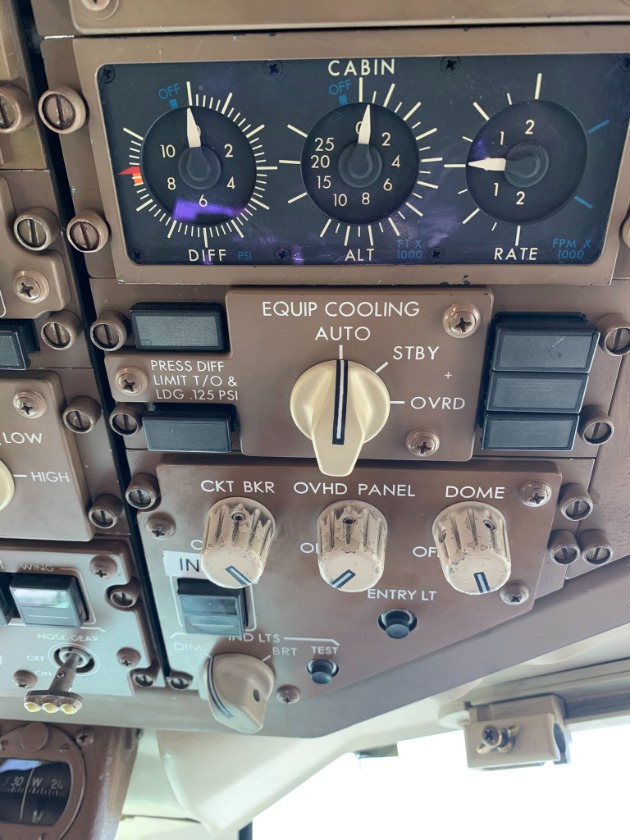
Panel Background Lights was created by Mark
The majority of aircraft I've dealt with over my years use 5 VAC as the input voltage for panel light plates and instrument back lighting. This would include Douglas, Boeing, Airbus, Gulfstream, Falcon, Cessna, and others. No matter the manufacturer, they all use light dimming modules to power a certain amount of lights each.


We recently had an aircraft where about 6 or 7 of the overhead panels had no background lights.


The first order of business is to find the dimmer module for that group of lights (sometimes when something is said to be in the P5 overhead, but instead is found aft and outboard..... costing you about two hours just finding the damn thing. Bitching???? Naw).


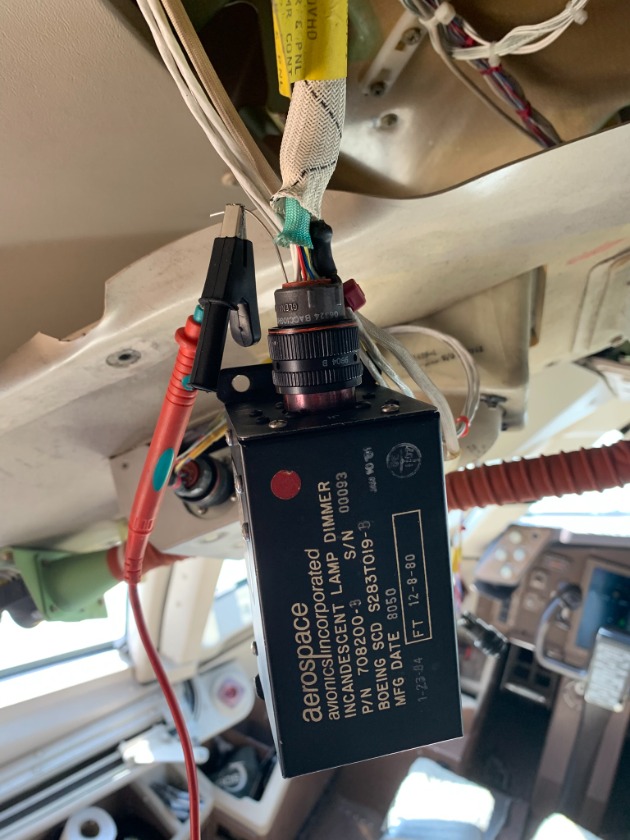
Hanging a new module didn't help. It was noticed on this particular panel that pin 8 of the three 5 VAC output pins (9,8,and 2), was not being used.

I didn't have my own equipment or meter so I rigged up a quick way to monitor the output on pin 8 of the module..... it's called safety wire and a borrowed meter.


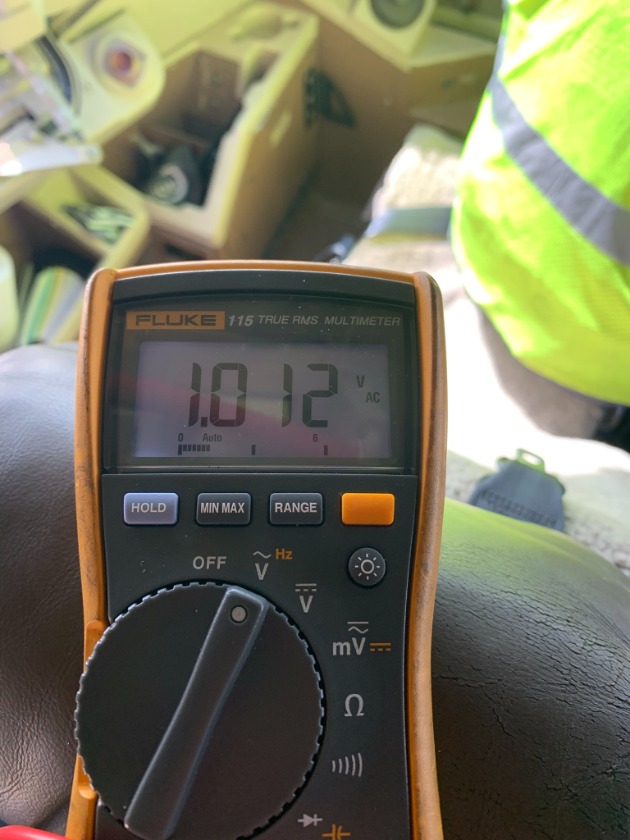
Anyway..... with everything connected, maximum voltage output with the brightness knob fully up was about 1 volt. (It seemed the dimmer module had a built in protection circuit because after about a minute..... the voltage dropped to 0.)


So, what's the most likely problem? One of the plates or lights is loading the output down. Time to start disconnecting.....

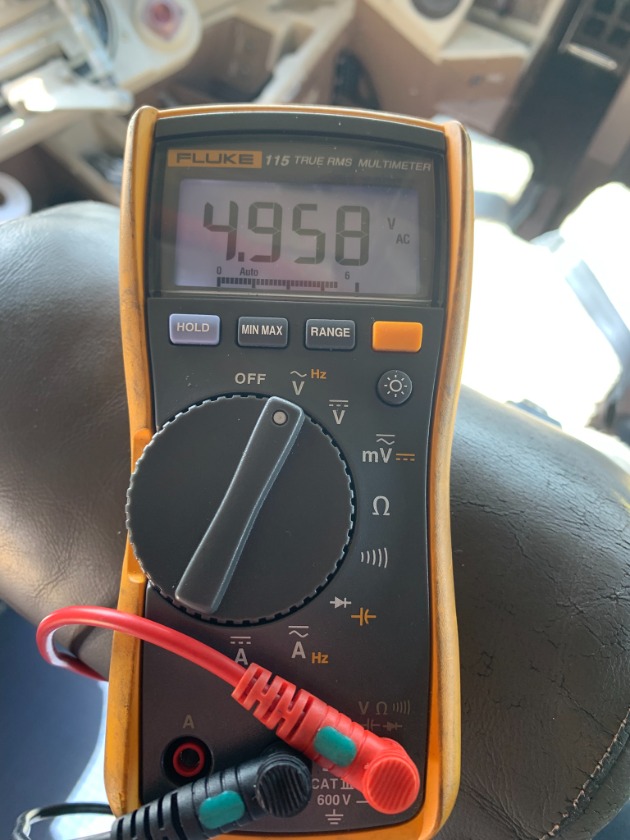
The second panel removed was the windshield wiper control panel. As soon as the plug was disconnected, the voltage jumped to 5 VAC.


When the light plate was removed, nothing looked odd. Both the receptacle and the nipple were clean. 


Dirt, moisture, a coke can that exploded vertically .... we didn't care. The short was cleared either by the cannon plug being removed or the light plate connection itself. Problem fixed and signed off.
06 Mar 2026 15:42 - 06 Mar 2026 15:45
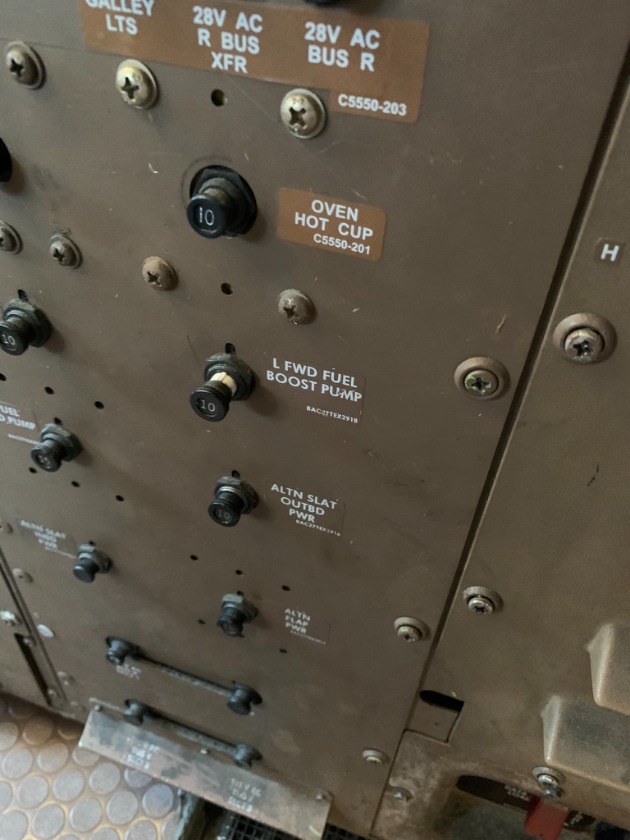
APU DC Fuel Pump was created by Mark
Deferral of the APU DC Fuel Pump. Maintenance EICAS message readout had registered a previous fault, but no troubleshooting was accomplished.

The DC start pump is used with a battery start of the APU. Maintenance or crews really don't know if it's running as no EICAS displays come on until the APU generator comes online.

Once AC power is available, the left forward pump takes over feeding fuel to the APU .


The only way to know if the DC Pump is operational is to fail (pull the circuit breaker for) the left forward AC pump when the APU is running.


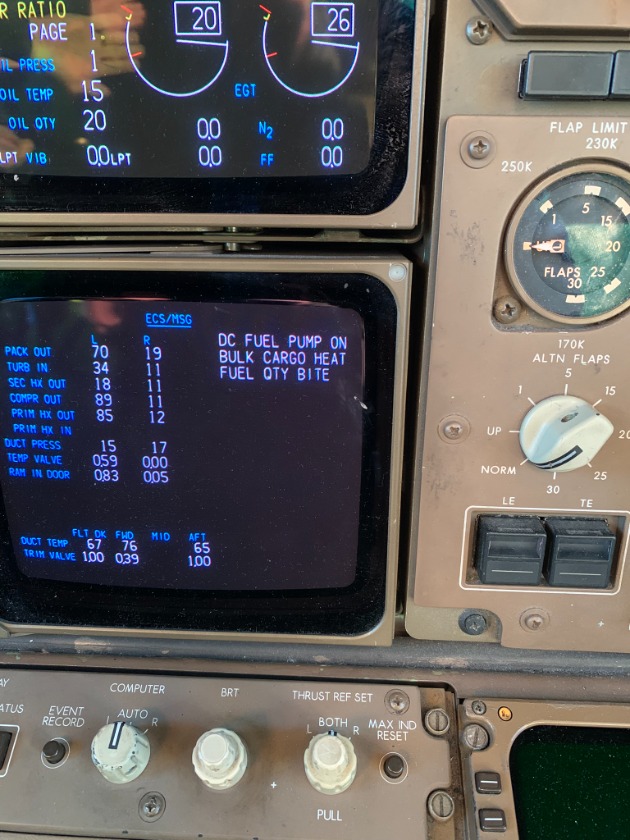
This will cause the left forward "Press" light to come on and a EICAS ECS/MSG of DC Fuel Pump.


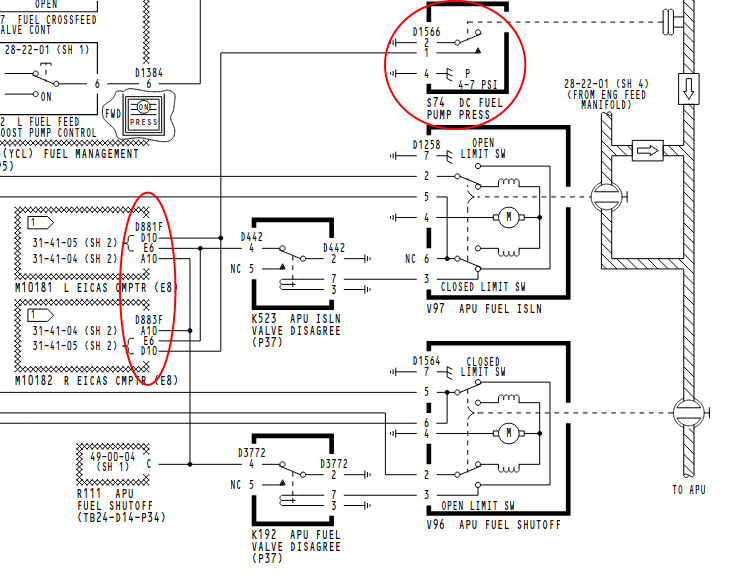
The message is pressure switch (providing a ground signal to the EICAS computers) derived.

If the pump was not working, the message would not be displayed.


The three pins feeding the EICAS computers for APU fuel feed are....

F-A10  APU Fuel Valve (if the valve is not in the commanded position)

F-E6   APU Isolation Valve (if the valve is not in the commanded position)

F-D10  DC Fuel Pump On
  
05 Mar 2026 14:17 - 05 Mar 2026 14:20
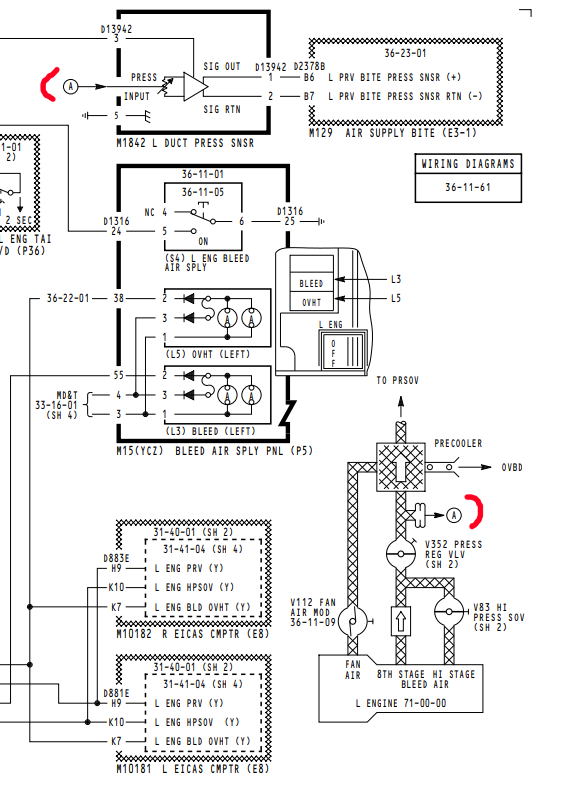
Replied by Mark on topic PRV Exit Pressure sensor
I can see where this signal is only used by the AIR SUPPLY BITE  unit and that the crew would not have a cockpit indication.

I have never metered one of these with pressure on so I can only guess what the output might be.

You've got 28VDC coming in. I would expect a value from 0-28 coming out and you would think that value would be positive for a positive pressure.

You're getting -7 PSI..... are those output wires swapped?

That's a shielded twisted pair. It would be worth pulling the box and shooting those wires. Red to Blue or either to ground (with sensor disconnected).

You have a blueprint of the proper resistance values (with sensor connected) from the other BITE box.


21 Feb 2026 19:38
Replied by Mark on topic Airspeed to PSI Conversion
We have, but it was kinda funny.

It passed right over the leak area and I was spaying behind the person doing the scanning. I had bubbles.... when the scanner was turned back towards it.... then it showed the leak.

At 3-4 PSI input pressure, it's asking a lot for the scanner to find it.

We'll try again with 8 to 10 PSI. Maybe we'll get better results.
11 Feb 2026 15:24 - 11 Feb 2026 15:36
Replied by Mark on topic Airspeed to PSI Conversion
Dealing with static leaks seem to be a never ending battle with the aircraft I work on.

These are all "old and worn" 767's that have a traditional Air Data Computer's.

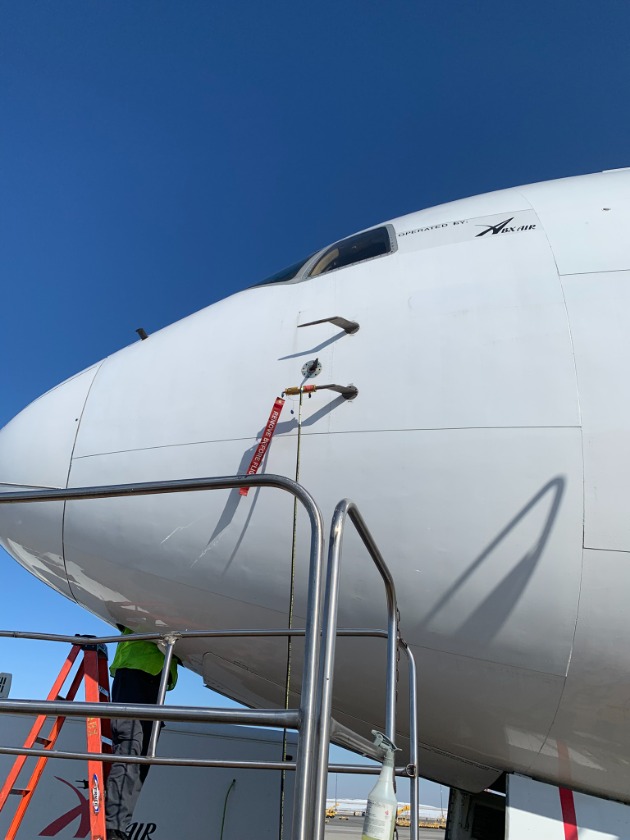
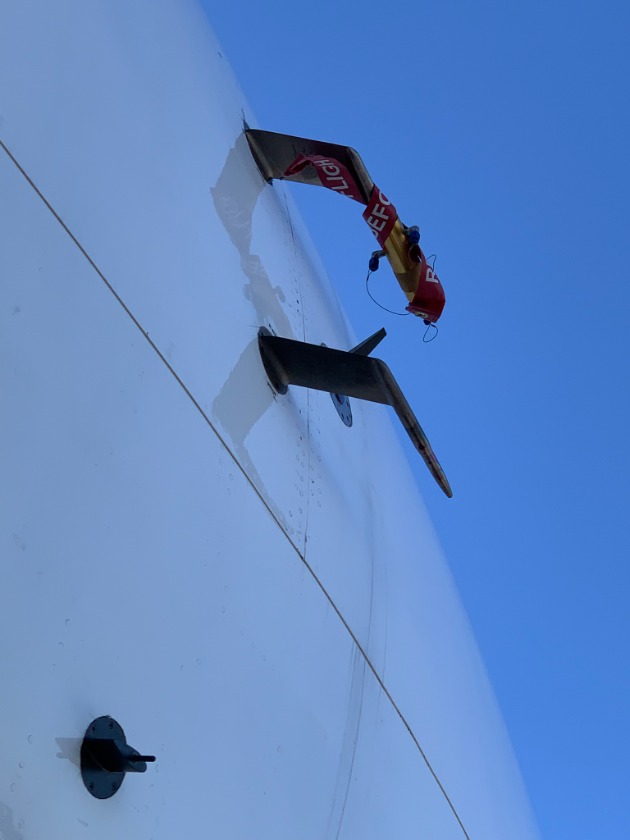
The ADC's have two inputs, Pitot (ram air pressure from the front opening of the pitot probe used for airspeed computation), and Static (static pressure taken from the side of the aircraft or directly from ports on the pitot probe body used for altitude computation).

There is a ton of metal tubing criss-crossing the front end of the aircraft that are used to feed these pressure signals to the Air Data's.

When a tube has a hole or (most often) a "T" or elbow fitting has a crack, cabin pressure enters the line and increases sensed pressure. If a pitot line is compromised, airspeed will read high. If it's a static line, the altimeter will read low.

Finding these leaks can be difficult. We disconnect the Air Data quick disconnects (which spring seals the line shut) and apply pressure into the lines. We then go around spraying lines with leak detector looking for bubbles.


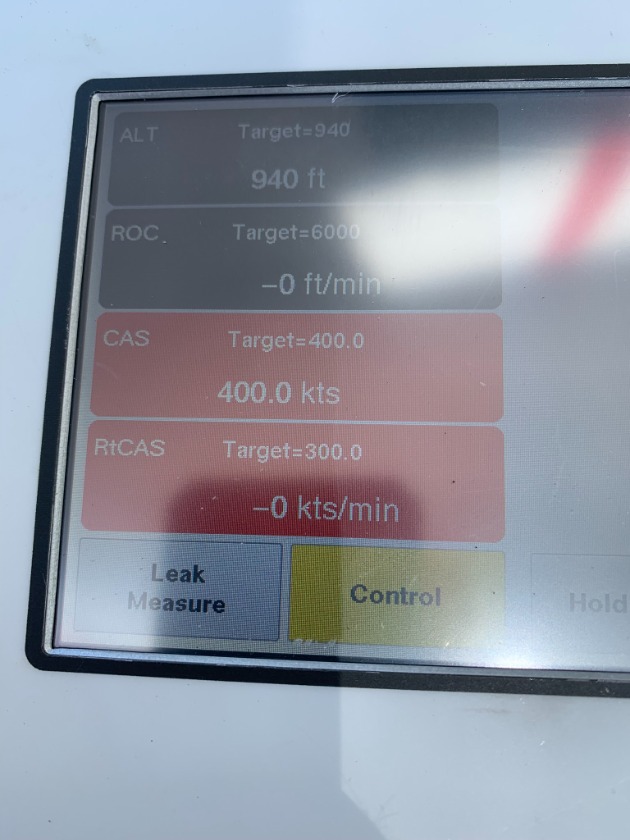
Using airspeed at 400 knots out of the Pitot/Static test box provides about (what we were guessing was about 4 PSI differential).

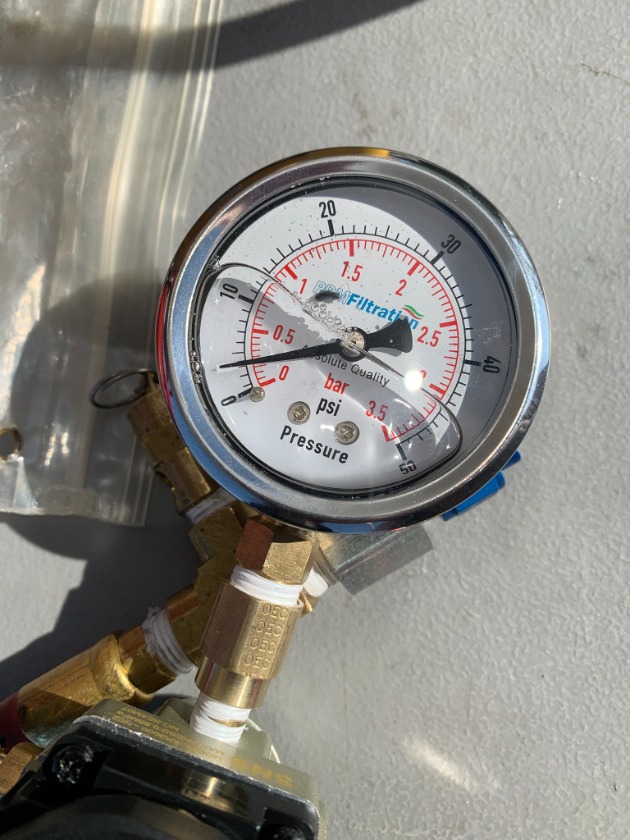
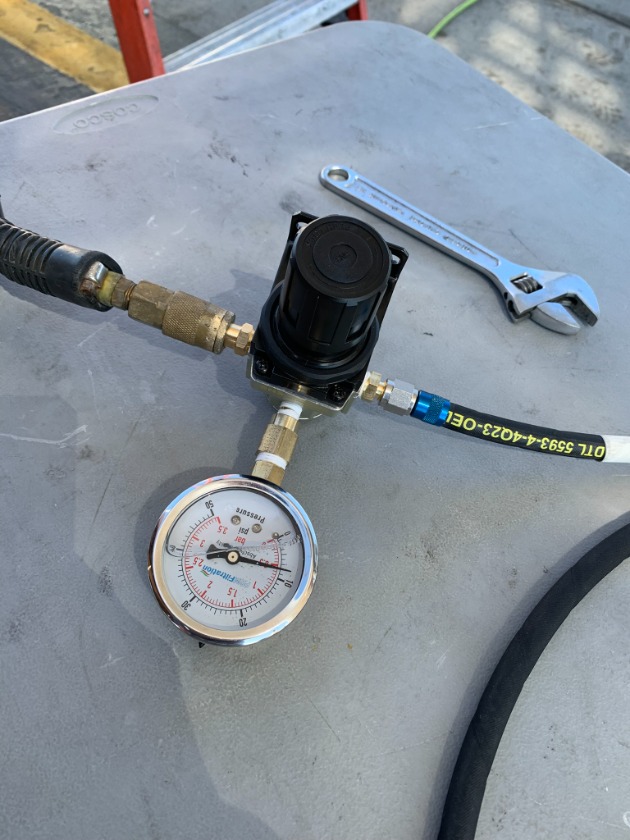
We experimented on our last troubleshooting venture. I have a low pressure regulator (something like this ) that I cranked full open while connected to the test box at 400 knots.


We had a reading of around 3 PSI. This was not a scientific, but it did show we really didn't get that much pressure out of the box.

We tried the regulator on its own with compressor air and dialed it up to 8 PSI. We could have gone higher, but for our find, 8 PSI was enough.


Care should be taken to not apply these higher pressures to sensors with internal mechanical bellows (Elevator Feel Computers being one), as a possible rupture could occur.
  
  
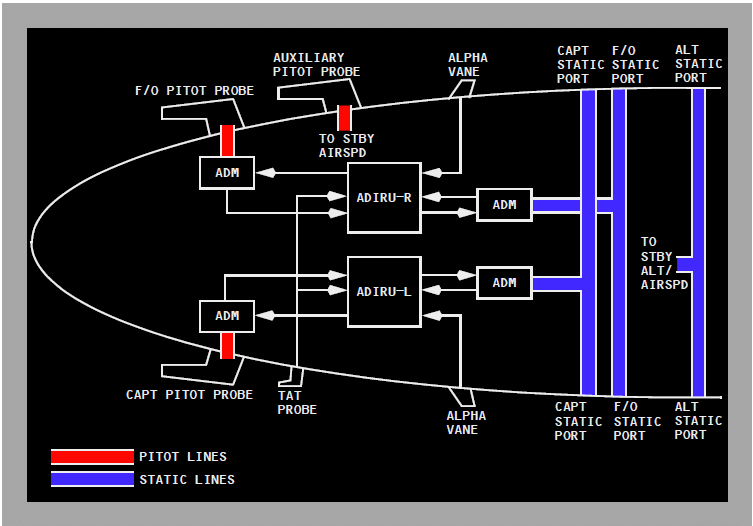
With newer aircraft..... all these lines go away. A combined Air Data and IRU unit called (of course) a ADIRU. The pitot and static ports will have a Air Data Module located near the port. This unit sends data (I'm guessing 429 data bus) to the ADIRU.


09 Feb 2026 08:40 - 09 Feb 2026 08:41
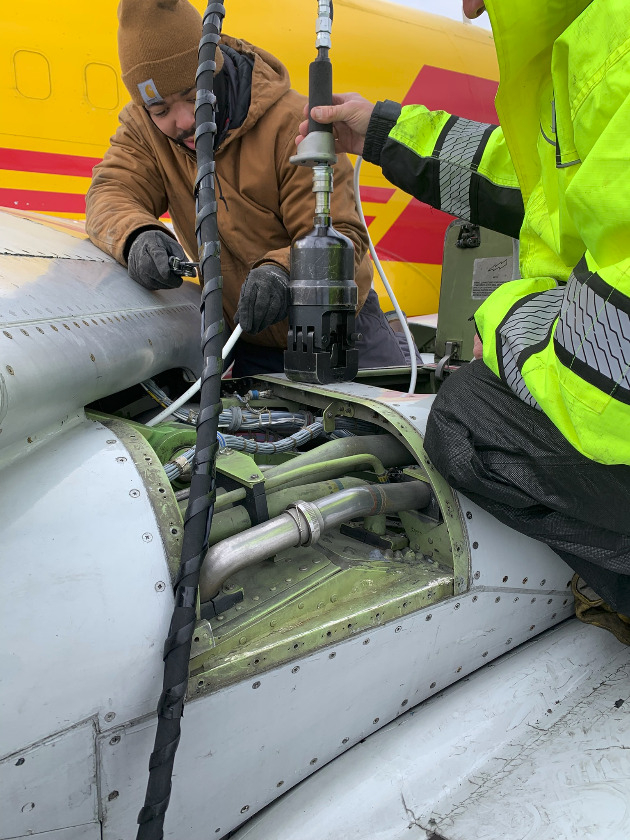
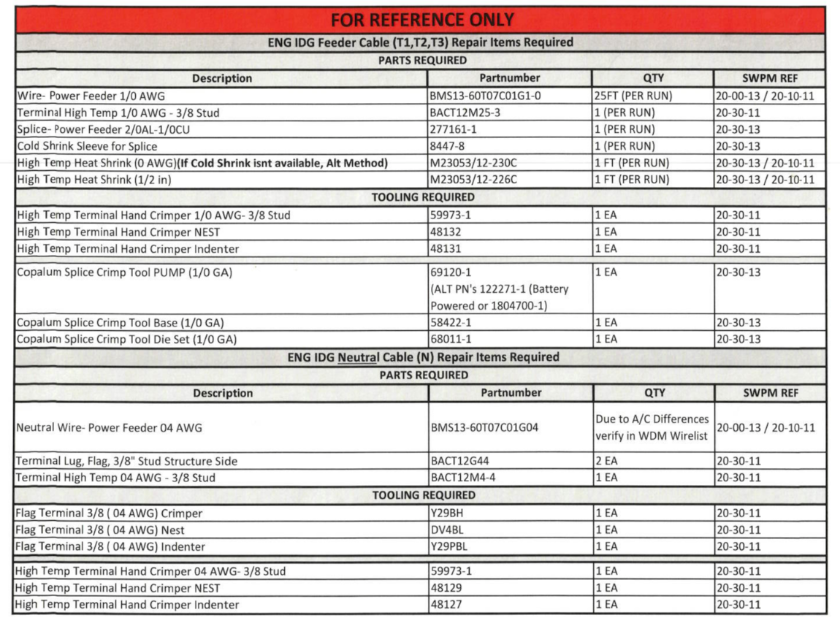
New repair....

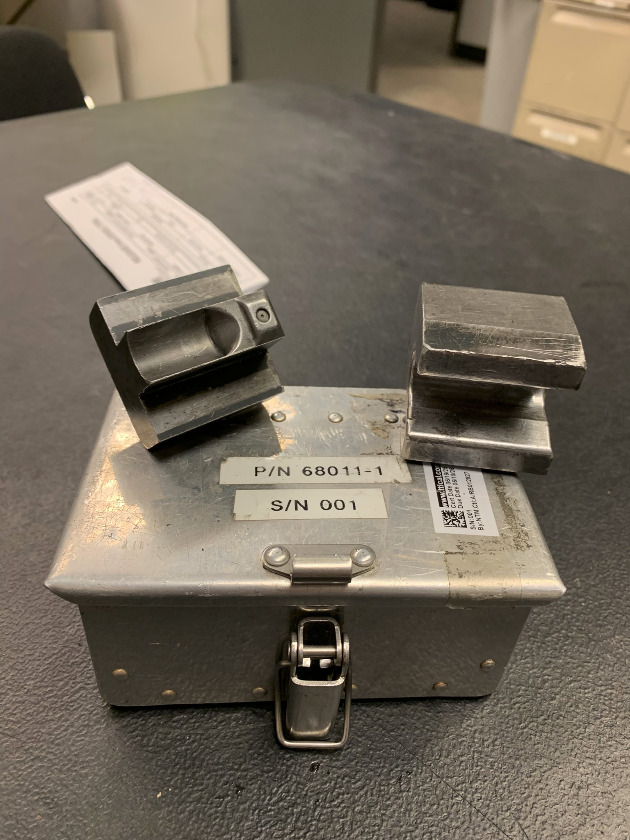
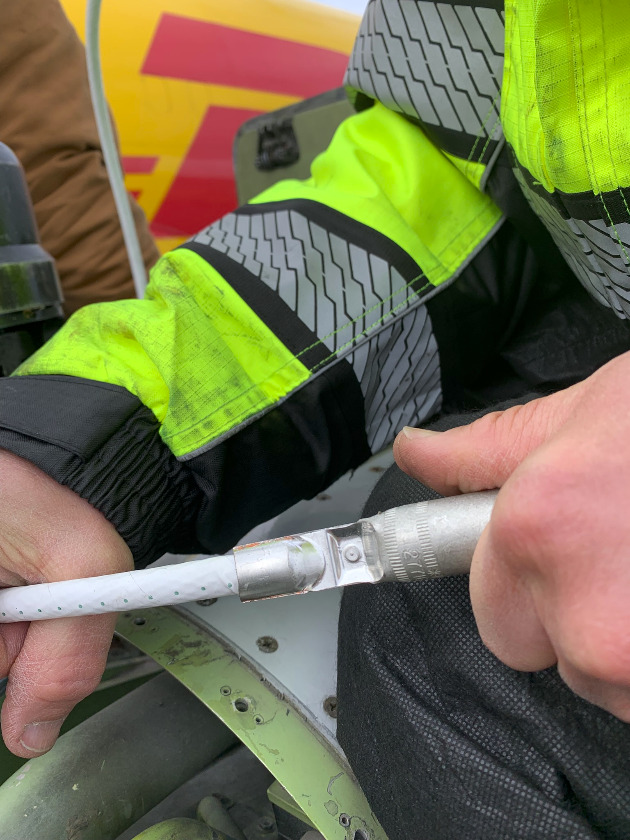
Splice of wire at top of pylon with hydraulic crimper.


Proper die for our wire (1/0).


Completed splice.


Reference for splices and tools.


07 Feb 2026 02:51
Replied by Mark on topic Test
First post on "hopefully" repaired" website.

One+ year of bad and unsupported software that has been taken over and reworked by a group out of Switzerland. That, and a very good developer out of Greece that put the pieces back together again.

If there are no failures within a three day timeline..... we can get busy with posts again!
22 Nov 2025 07:19 - 22 Nov 2025 07:23
Which of the ARINC standards pertains to the cabin interphone system? Is ARINC 746 the correct specification in this case?
Are the cabin interphone system and the cabin telecommunication unit considered the same system?
17 Nov 2025 19:02 - 19 Nov 2025 18:39
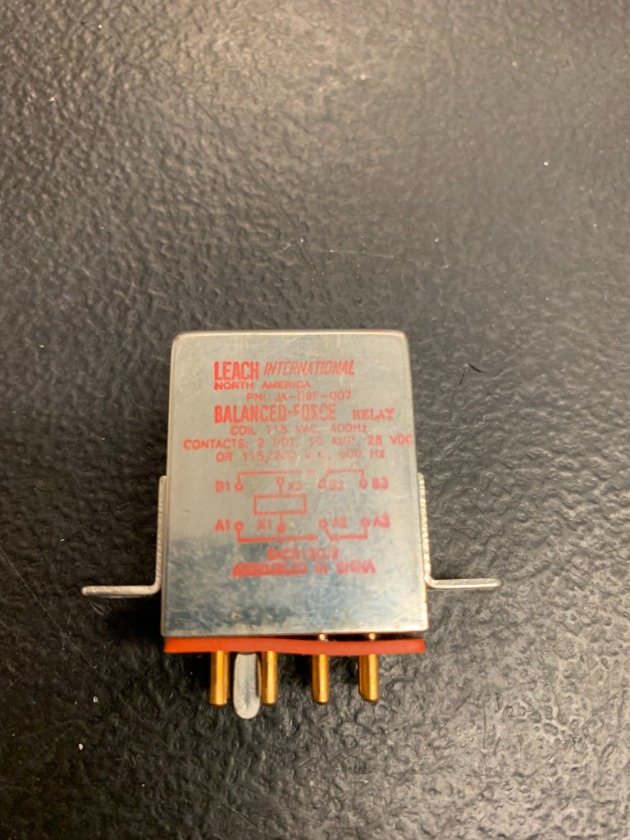
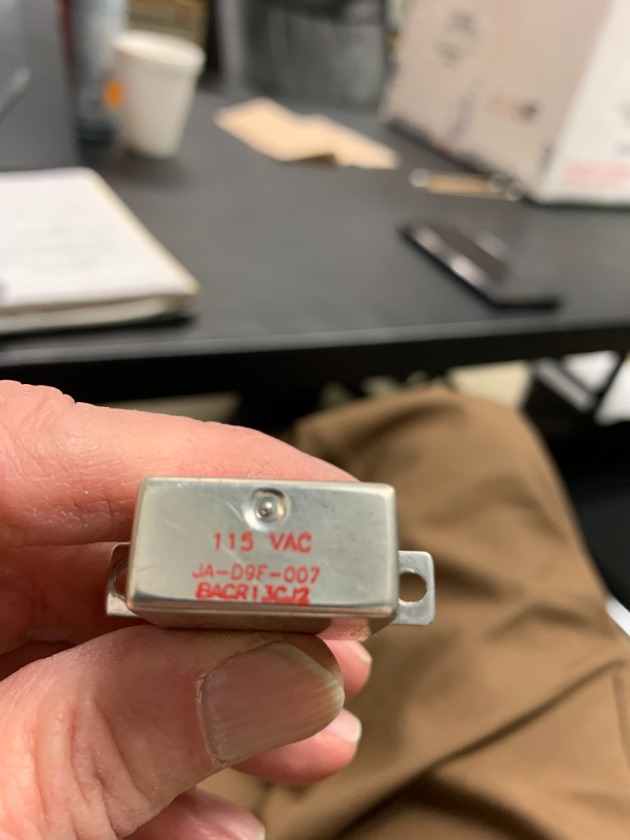
Replied by Mark on topic Leach Relay P/N BACR13CF2A
Leach relay P/N BACR13CJ2 causing a cycling "FLAP/SLAT ELEC" warning on the lower EICAS display.


This is different from the posts above because this one has a 115 VAC coil. All previous intermittent relays were direct current.


This particular one was failed for about 90 seconds and energized around 10. (I wouldn't have caught it if I wasn't looking at the EICAS screens for another reason.)

When failed the message was in view.

I pulled the relay and checked for power (X1) and ground (X2). These inputs never dropped off. I then jumped the 115VAC and a separate hard ground to the removed relay. It dropped off within 10-15 seconds after power was applied.

A new relay fixed the problem.

In the schematic below, the EICAS computers do not want to see a ground on "F3" of the "D" plug. If a ground is present..... the warning will display.
K730 has 115 VAC available all the time. It's looking for a ground to energize. That ground comes from the Flap Slat Electronics Unit on pin "K13" of the "B' plug. If the FSEU is operational, it will provide that ground and there will be no warning present.


22 Oct 2025 19:23
Replied by OG GarlicSalt on topic G450 Gear Pin Holder
I think I see your issue, when I open the file in blender and Creality the model is sharp, I opened it in meshmixer and I see the odd lines and fragmented faces. I think it just comes down to the boolean operations destroying the faces. Let me know if your not able to get it to turn out I will re create it in Autodesk tomorrow.
21 Oct 2025 17:58
Replied by OG GarlicSalt on topic G450 Gear Pin Holder
Yes tomorrow I will find the orginal file and make sure its properly sized, what print software are you using?
20 Sep 2025 13:54
Replied by OG GarlicSalt on topic TCAS COMPUTER
Probably not a PN change unless its part of a SB or AD, most probably a mod status change.

Both part numbers serve the same purposes and meet the same TCAS spec but the manufacturers and system are different the first pn is more of an all in one solution while the 2nd pn is part of the entire honeywell TCAS setup.

By no means an expert on this but I feel this should answer most of your question.
Displaying 1 - 15 out of 32 results.
Time to create page: 0.950 seconds